Skip to content
cv999cm Sports / Slots
LIVE LOBBY

cv999cm — Live Tables, Slots and Cricket Markets with bKash, Nagad and Rocket

Deposit through bKash first, switch to Nagad or Rocket as your backup, and move straight into live dealer tables, slot rooms or IPL and BPL cricket markets — all visible before you complete your account. Access depends on your local law and eligible region.

bKash Nagad Rocket
Browse games
CONTENT / 01

Browse live dealer rooms, slots and the sportsbook in one place

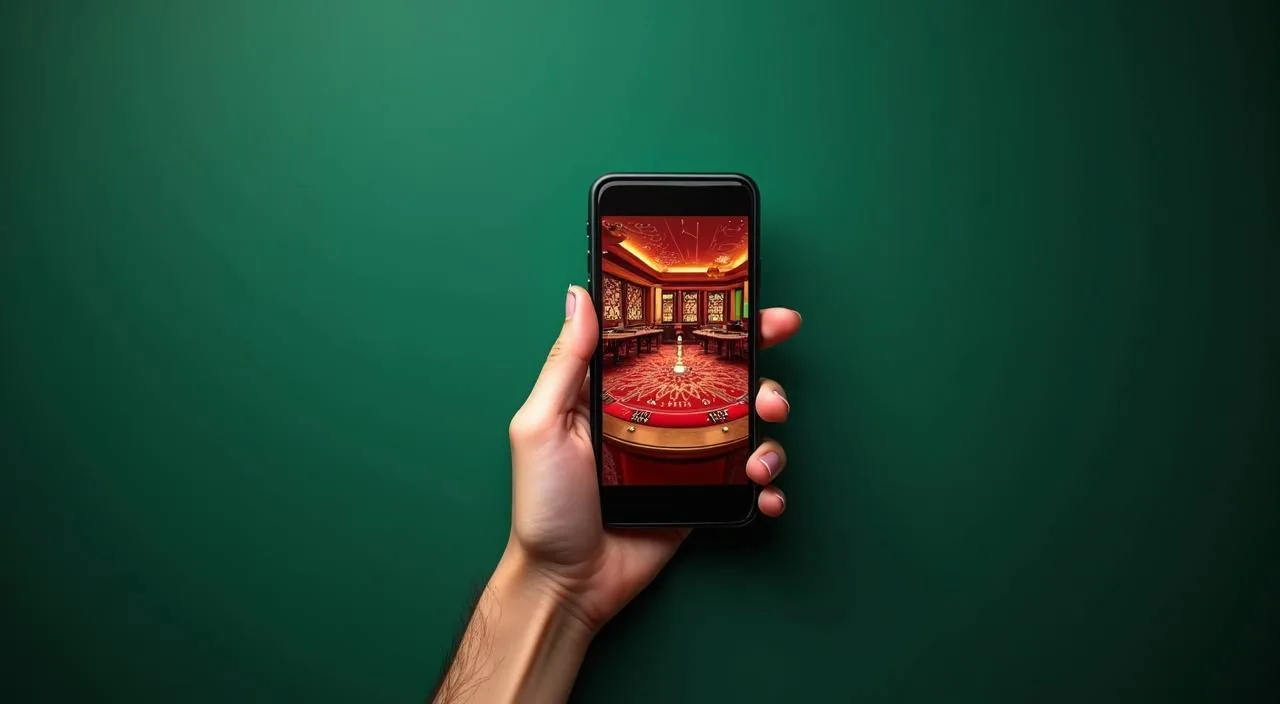
The lobby at cv999cm is arranged so you can switch between live casino tables, slot rooms and the sportsbook without going back to a separate home screen. Cricket markets — covering IPL, BPL and international fixtures — sit inside the sportsbook tab, which is one tap from the main lobby on mobile.

ACCOUNT HELP ROUTES

Reach us when your account needs attention

Getting stuck mid-deposit or locked out of your account wallet is frustrating — we keep support reachable through the contact routes listed inside your account dashboard. If your query involves a transaction that appears pending or a verification step that is not advancing, include your registered email address and the approximate time of the action when you write in — this helps the support team locate the relevant record without asking you for it a second time. For account access issues, the dashboard also contains a self-service identity verification path that can resolve common lock scenarios without waiting for a reply. Response times can vary depending on query volume, so starting with the in-dashboard tools is usually the faster route for straightforward account matters.

  • Account Wallet Queries

    If your bKash or Nagad deposit does not reflect in your account balance, open the transaction history in your wallet tab. The reference number shown there is what our support team needs to check the payment status on our side.

  • Login and Access Help

    Trouble logging in from your phone browser is usually a cached session or an outdated bookmark. Clear your browser cache, navigate directly to cv999cm, and try the login page fresh.

  • Game and Lobby Navigation

    The lobby organises titles by category — slots, live casino, table games and sports. If a game from Joker, PG Soft or Spadegaming is not loading, try refreshing the page or switching from your mobile browser to a desktop browser.

ACCOUNT STANDARDS

How cv999cm keeps your account experience clear

The account area is built around visibility — every transaction, every active game session and every payment method you have linked is accessible from one signed-in screen. We do not hide limits or policy details behind multiple menu layers. From the same signed-in screen you can review the history of changes made to your account settings, including when a payment method was added or removed and when any session was opened. If you notice an entry that you do not recognise, the account area provides a direct route to flag it. Notification preferences — covering email and on-site alerts for account activity — are also grouped in this section so you can choose the level of detail that suits how you prefer to monitor your account.

  • Transparent Transaction Record

    Every deposit and withdrawal you make is logged in the transaction history inside your account wallet. The record shows the payment method used — bKash, Nagad, Rocket or Bank Transfer — the amount, the date and the current status.

  • Studio-Verified Game Content

    Games in our lobby come from Joker, PlayStar, PG Soft, Spadegaming and Habanero. Each game screen shows the studio name, and where the provider exposes RTP data, that figure appears inside the game interface. We do not publish RTP numbers we cannot verify from the source.

  • Account Policy in Plain Sight

    The terms that govern your account — including how payment routes work, how account verification is handled and what happens if a transaction is disputed — are published in the legal section linked from the footer. They are written to be read, not to be skipped.

  • Local Law and Eligibility Clarity

    We are open about the fact that access depends on your local law and the eligible regions our platform operates in. Before you open an account, the eligibility notice on the registration page sets out what is required.

LOCAL PAYMENTS

Compare bKash, Nagad, Rocket and Bank Transfer before you deposit

Understanding how each payment route works at cv999cm helps you pick the right one before you fund your wallet. bKash is the primary deposit path — the account number and transfer instructions are shown inside your wallet settings. Once you have completed a transfer through bKash, Nagad, Rocket or bank transfer, the wallet screen shows a confirmation reference that you can keep for your own records. If the balance has not updated within the window described on that screen, the reference number is the key detail to include when contacting support.

  • bKash

    The primary deposit route. Open your bKash app, navigate to Send Money or Payment as instructed in your account wallet settings, enter the account number shown there, add your transaction amount and confirm with your bKash PIN. Once the transfer is processed by bKash, the balance appears in your account wallet.

  • Nagad

    A reliable alternative when you prefer a second mobile wallet or want to separate your gaming deposits from your main bKash usage. The Nagad transfer process mirrors bKash — find the account number in your wallet settings, open your Nagad app, and complete the transfer to that number.

  • Rocket

    Rocket operates through a different mobile banking network and suits account holders who already use it for everyday transactions.

  • Bank Transfer

    For larger account funding, Bank Transfer lets you move money directly from your bank account using the beneficiary details published in your wallet settings. This route suits account holders who are not using mobile wallets or who need a formal bank record of the transaction.

Banking
ACCOUNT PATH

Open your account and fund your wallet in clear steps

The account opening process at cv999cm is designed to be completed from a phone browser without needing to install anything. Start at cv999cm and select the account registration option — the form asks for your email address, a password and your preferred contact method. After your initial registration, a confirmation step is sent to the contact method you provided — completing that step activates full access to the wallet and lobby. If the confirmation message does not arrive within a few minutes, check that the contact detail entered during registration is correct; the account settings screen lets you update it and resend. Once your wallet is funded, the lobby is accessible immediately from the same browser session without any additional login step.

  1. Step 1: Register your account

    Visit cv999cm from any mobile or desktop browser. Select the account registration option and fill in the required fields — email address, a secure password and your preferred contact detail. The form is short and all fields are labelled clearly. Submit the form and watch for the confirmation email in your inbox.

  2. Step 2: Confirm your email

    Open the confirmation email from cv999cm and follow the activation link. This step verifies that your email address is reachable and activates your account.

  3. Step 3: Choose your deposit route

    Log in to your activated account and open the wallet section. You will see the available deposit options — bKash, Nagad, Rocket and Bank Transfer. Select the method that suits you.

  4. Step 4: Complete the transfer and enter the lobby

    Transfer the amount from your bKash, Nagad, Rocket app or bank account using the details shown in your wallet settings. Once the payment network confirms, your wallet balance updates and the lobby becomes fully accessible. Select a category — live casino, slots or sportsbook — from the navigation bar and start exploring.

MEMBER DESK / 06

Offers, support and account controls

01

Game lobby

02

Payment guide

03

Support

DISCOVER / 01

Choose your game

Full lobby
CONTENT / 02

Explore slots, live casino tables and cricket markets

The cv999cm lobby covers casino slots from Joker, PG Soft, Spadegaming and Habanero, live dealer tables from PlayStar and Habanero, and a sportsbook section where cricket — including IPL and BPL fixtures — sits as the headline category. Switch between sections from the fixed category bar without reloading the page.

GAME NETWORK
Joker
PlayStar
PG Soft
Spadegaming
Habanero
CONTENT / 04

cv999cm lobby studios

The cv999cm lobby carries content from Joker, PlayStar, PG Soft, Spadegaming, Habanero. To check the studio, rules or features of one specific game, open that game card or the published information panel.

  • Joker

  • PlayStar

  • PG Soft

  • Spadegaming

  • Habanero

MOBILE BROWSER ACCESS

Switch between the lobby and your wallet from any phone browser

cv999cm runs fully inside a mobile browser — no app download from any store is required. Open cv999cm in Chrome, Firefox or your phone's default browser and the layout adjusts to your screen size automatically.

  • No Download Needed

    The full lobby — slots, live tables and the sportsbook — is accessible from your phone browser without installing anything. Navigate to cv999cm, log in and the lobby opens immediately. The browser version matches the desktop layout in terms of available games and payment options.

  • Wallet Access On the Go

    Your account wallet — deposit history, current balance and payment route selection — is two taps from the lobby header on mobile. You can switch from a slot session to the wallet, check your bKash deposit status, and return to the lobby without logging out or losing your game.

  • Consistent Layout Across Devices

    Whether you first open cv999cm on your phone and later switch to a desktop browser, the account state, wallet balance and lobby access follow your login. The layout scales to the screen — desktop shows wider game rows and a larger live table view, while mobile compresses to a single-column scroll with tap-friendly category tabs.

CONTENT / 03

Switch between the lobby and your wallet from any phone browser

cv999cm runs fully inside a mobile browser — no app download from any store is required. Open cv999cm in Chrome, Firefox or your phone's default browser and the layout adjusts to your screen size automatically.

  • No Download Needed

    The full lobby — slots, live tables and the sportsbook — is accessible from your phone browser without installing anything. Navigate to cv999cm, log in and the lobby opens immediately. The browser version matches the desktop layout in terms of available games and payment options.

  • Wallet Access On the Go

    Your account wallet — deposit history, current balance and payment route selection — is two taps from the lobby header on mobile. You can switch from a slot session to the wallet, check your bKash deposit status, and return to the lobby without logging out or losing your game.

  • Consistent Layout Across Devices

    Whether you first open cv999cm on your phone and later switch to a desktop browser, the account state, wallet balance and lobby access follow your login. The layout scales to the screen — desktop shows wider game rows and a larger live table view, while mobile compresses to a single-column scroll with tap-friendly category tabs.

FEATURE BRIEF / 05

From Emerald Valley Slots to Roulette Supreme — what is in the rooms

The slot and table game sections in the cv999cm lobby include titles like Emerald Valley Slots for players who prefer longer reel sessions and Roulette Supreme for those who want a table game with a familiar format.

Game feature guide
  • Emerald Valley Slots

    Emerald Valley Slots is available in the slot category of the lobby. Load the game from the slot section, where the thumbnail shows the game name and studio. The in-game help panel explains the paytable, active paylines and any feature mechanics.

  • Roulette Supreme

    Roulette Supreme is listed in the table games section of the live casino tab. Before joining the table, the lobby thumbnail shows the current table status and the minimum bet range.

  • Cricket Hotlines

    Cricket Hotlines is the cricket-category entry point in the sportsbook section. It covers IPL, BPL and international cricket markets, showing available match events and their associated betting options. The market list updates as fixtures are confirmed — check the sportsbook tab for current availability.

ACCOUNT DESK

Account information

Review current account information after signing in.

Login
PLAYER INDEX / 07

Key account and payment terms explained

New to mobile wallet deposits or unfamiliar with how live casino table limits work? This section explains the account and payment terms that come up most often when you are setting up your wallet or exploring the lobby f

Player guide and glossary
  • What does 'account wallet' mean on cv999cm?

    Your account wallet is the balance held inside your cv999cm account. When you deposit via bKash, Nagad, Rocket or Bank Transfer, the transferred amount moves into this wallet. You use the wallet balance to place bets and join games. Any winnings are credited back to the same wallet.

  • What is a transaction reference and why do I need it?

    A transaction reference is the unique ID number that bKash, Nagad, Rocket or your bank generates when you complete a transfer. It is shown on the confirmation screen of your payment app immediately after the transfer. Keep it noted somewhere.

  • What does 'table limit' mean on a live dealer game?

    A table limit is the minimum and maximum bet amount allowed at a specific live dealer table. The lobby thumbnail for each table shows the current limit range before you join. If the minimum bet is above your current wallet balance, you will need to deposit more before that table is accessible.

  • What does RTP mean and where can I see it for a game?

    RTP stands for Return to Player. It is a percentage published by the game studio indicating the theoretical long-term return of a slot or table game. On cv999cm, RTP figures are shown only inside the game screen where the supplying studio — Joker, PG Soft, Spadegaming, Habanero or PlayStar — has made that data available.

  • What does 'eligible region' mean in the account terms?

    Eligible region refers to the geographic areas where cv999cm account opening and gameplay are permitted under local law. Access to our platform depends on the rules in your specific location. The eligibility notice on the registration page sets out what is required before you open an account.

  • What is a 'pending' deposit status?

    A pending status means your transfer has been sent from your bKash, Nagad, Rocket or bank account but has not yet been confirmed by the payment network on our side. Most transfers resolve quickly once the network confirms, but the exact timing depends on the payment provider — not on cv999cm.

  • What is a 'session expiry' on mobile?

    Session expiry means your login session has timed out, usually after a period of inactivity in the browser. When this happens, the page redirects to the login screen. Your account data and wallet balance are not affected — simply log back in with your email and password to resume.

Full glossary
LOBBY / 02

One mobile lobby, distinct game areas

Cricket Hotlines Sports Cricket Hotlines Access → Roulette Supreme Live Roulette Supreme Access → Terms Guide Bangladesh Slots Terms Guide Bangladesh Access → Football Agility Sports Football Agility Access → Rocket Payout Track Slots Rocket Payout Track Access → Emerald Valley Slots Slots Emerald Valley Slots Access →
EXPLORE FURTHER / 04

Explore detailed guides

Local lobby check

QUICK ANSWERS

Frequently asked questions

The questions below cover what new account holders typically ask when they are deciding whether to open an account, choosing a deposit route or trying to find a specific game category. Each answer is based on how the platform is actually configured — not a generic explanation that could apply to any site.

Read FAQ →
How do I deposit using bKash for the first time?

After opening and verifying your cv999cm account, log in and go to the wallet section. Select bKash as your deposit method. The page shows the destination account number and step-by-step transfer instructions.

Can I switch between bKash and Nagad for different deposits?

Yes. Your cv999cm account is not locked to a single payment method. Each time you deposit, you select the method from the wallet section — bKash, Nagad, Rocket or Bank Transfer — and follow the instructions for that route.

Is there a minimum deposit amount for bKash or Nagad?

The minimum deposit amount for each payment route is shown in the wallet section of your account when you select that method. We do not publish a single figure here because limits can be adjusted and the wallet settings page always shows the current configured amount.

Which game studios supply the slots and live tables on this site?

The cv999cm lobby is supplied by five studios: Joker, PlayStar, PG Soft, Spadegaming and Habanero. Joker, PG Soft and Spadegaming primarily supply slot content. PlayStar and Habanero supply live dealer table content, and Habanero also has slot titles in the lobby. No studios outside this list supply games to this site.

Does cv999cm have a mobile app I can download?

cv999cm does not require a downloadable app. The full lobby — slots, live casino tables and the sportsbook — runs inside your phone's existing browser. Open cv999cm in Chrome, Firefox or your phone's default browser and the layout adjusts to mobile automatically. You can add cv999cm.

Where is the sportsbook and does it cover cricket?

The sportsbook is accessible from the category navigation bar in the lobby — it is one of the fixed tabs at the top of the screen. Cricket is the headline category in the sportsbook, with markets covering IPL, BPL and international fixtures.

How do I contact support if a payment issue is not resolved?

The support contact route is inside your signed-in account dashboard. Navigate to the support or help section after logging in — the contact form there asks for your query type, a description and your transaction reference if the issue is payme

What happens if I accidentally close the browser mid-deposit?

If you close the browser after completing the transfer in your bKash, Nagad or Rocket app, the deposit is not lost — it was processed by the payment network independently of your browser session.

READY WHEN YOU ARE

cv999cm game lobby

Access may be available only where local law permits.

Register Login